
TransAI
AI Desktop Translation, Lightning Fast
Invoke with a global hotkey from anywhere. Supports text selection, clipboard, and manual input. Multi-model AI with automatic fallback for accurate, reliable results.
Available for Windows & macOS
Powerful Features, Minimal UI
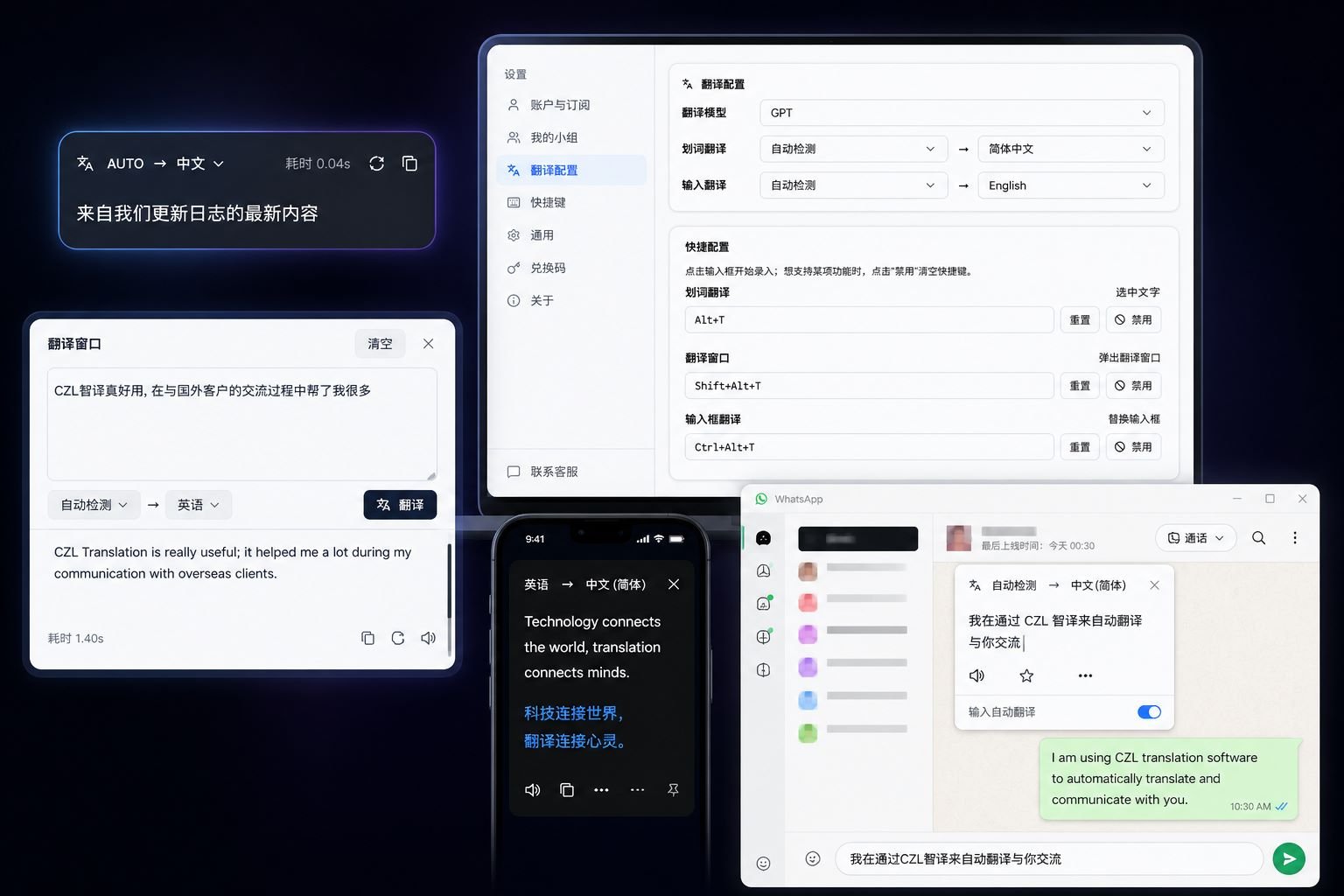
TransAI integrates AI translation seamlessly into your workflow.
Three Global Hotkeys
Selection / popup / inline-replace — three independent hotkeys, configurable or disabled individually.
3 Translation Modes
Text selection, clipboard auto-read, and inline replacement in any input box. Reading, writing, chat — all covered.
Multi-Model Auto Fallback
Multiple AI models on the server. If primary fails (rate-limit / outage), automatic switch to backup keeps translations flowing.
Team Sharing
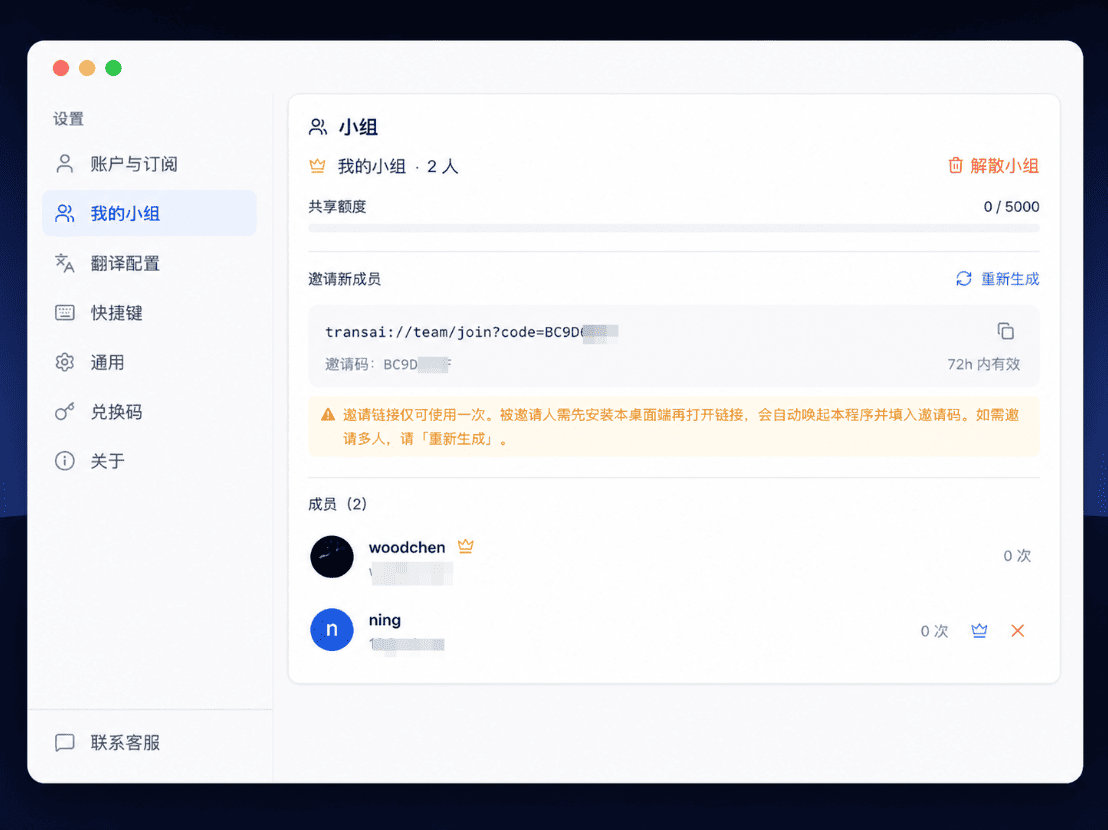
Pro/Max users can create teams. Members share the owner's daily quota. One-time invite links keep things secure.
TTS Playback
One-click read-aloud for the translated text — perfect for pronunciation practice.
Local History & Cache
Last 500 entries kept locally; instant cache hits for repeated text. Searchable and clearable. TTS cache managed separately.
Multi-Device Safety
One account on multiple devices. Disable old devices remotely from your account panel — disabled devices cannot translate.
CDK Redeem
Redeem codes to extend subscription duration or grant standalone quota packs. Packs consume first; expiry auto-rolls forward.
Auto Updates
In-app incremental download, force-update support — always latest and secure.
Built for Every Scenario
TransAI is more than a translator — it's your language companion for reading, writing, and collaboration.
Papers & Docs at a Glance
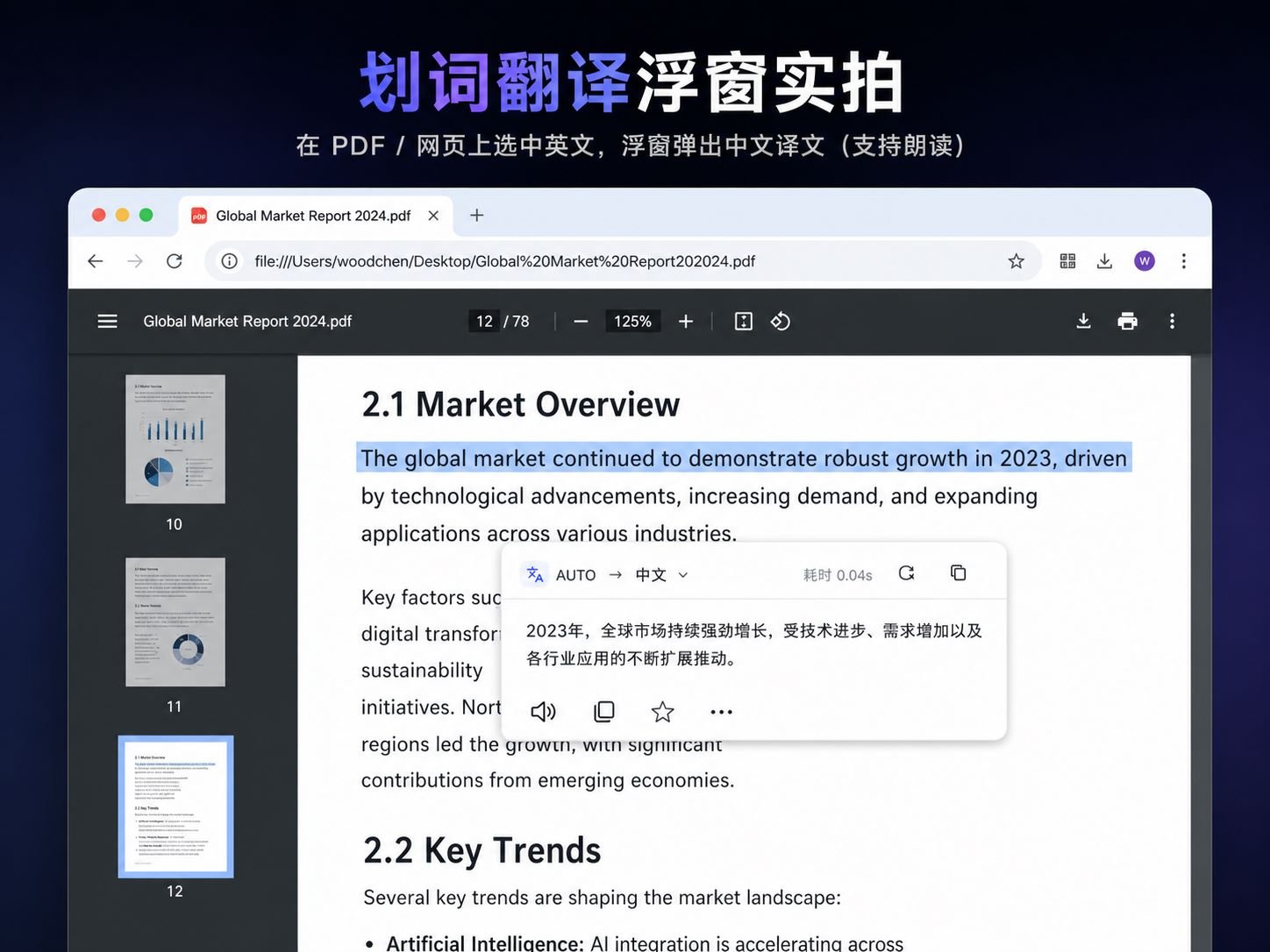
Selection translation turns English papers, API docs, and code comments into your native language instantly. Pair with TTS for listening practice.
Reply to Emails 3× Faster
Type your reply in your native language inside Outlook or webmail, hit the inline-replace hotkey, and it becomes English in place.
Listen, Speak, Read, Write
Selection + TTS + history together build your personal vocabulary list. Pro+ keeps history forever.
Shared Quota for Pro/Max Teams
Owner generates a one-time invite link; members join via deep link auto-launch. Owner can kick / disband / transfer ownership. Up to 10 members.
Pro→Max Pro-Rated Upgrade
Upgrade is calculated by remaining days — no need to wait for renewal. Even Alipay one-time payment supports differential checkout.
48-Hour No-Reason Refund
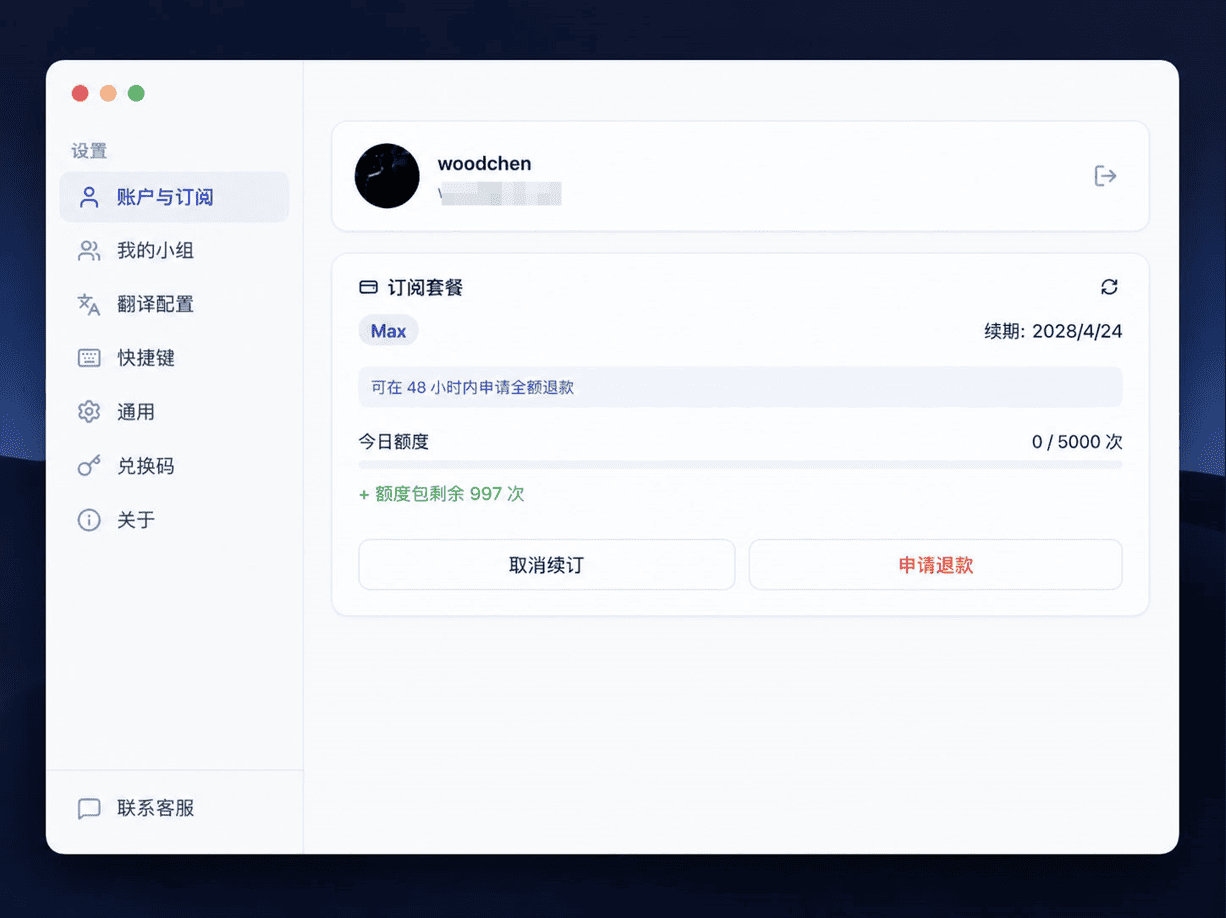
Full refund within 48 hours of first payment, one click in the app. Plan downgrades to Lite immediately. Transparent rules, handled by support.

Alt+Ctrl+T,原地把中文替换成英文。Get Started in 3 Steps
From download to your first translation in under a minute.
Download & Install
Download the installer for your platform, double-click to install — the app lives in your system tray.
Sign In
Log in with your CZL Connect account. No extra registration needed.
Start Translating
Press the global hotkey, select text or paste content, and get instant AI translation.

Simple, Transparent Pricing
Pick a plan that fits. All plans include core translation features. Stripe (card) or Alipay supported.
Lite (Free)
Perfect for light users
Daily quota: 50 / day
- All core translation features
- Multi-model auto fallback
- 3 global hotkeys
- TTS playback
- 500 local history entries
Pro
Recommended for individuals
Daily quota: 500 / day
- Everything in Free
- Create team
- Invite up to 5 members
- Pro-rated upgrade to Max
- 48h full refund window
Max
For power users & teams
Daily quota: 5,000 / day
- Everything in Pro
- Bigger shared team quota
- Up to 10 members
- Priority support
- 💳 Card (Stripe auto-renew) or 💴 Alipay (one-time payment, manual yearly renewal)
- 💰 Pro→Max upgrade prorated by remaining days, no need to wait
- 🎁 CDK redeem codes can extend duration or grant standalone quota packs
Frequently Asked Questions
Still have questions about features or billing? Here are answers. Anything else? Use "Contact Support" in the app.
How is the daily quota calculated?
Is 50 / day on Free enough for me?
What's a "team" and how does it work?
Are invite links one-time?
How do I change or disable global hotkeys?
Which OS are supported? M1/M2 Mac compatible?
Switched computers — can I keep using my account?
Card or Alipay — what's the difference?
Is translation reliable? What if a model goes down?
Is my translation history uploaded? Privacy?
How do I refund? When will I receive it?
What happens after Pro/Max expires?
Does it work with Office / Outlook / chat apps?
Download and Get Started
Supports Windows 10+ and macOS 12+. Continuously updated.
Continuously updated.